Designed from your real screens
Upload the app screens you already have and get a polished, on-brand set with AI-written, benefit-led headlines.
Turn your raw app screens into a polished, store-ready set in minutes — built to lift conversions and launch faster.
Create your first set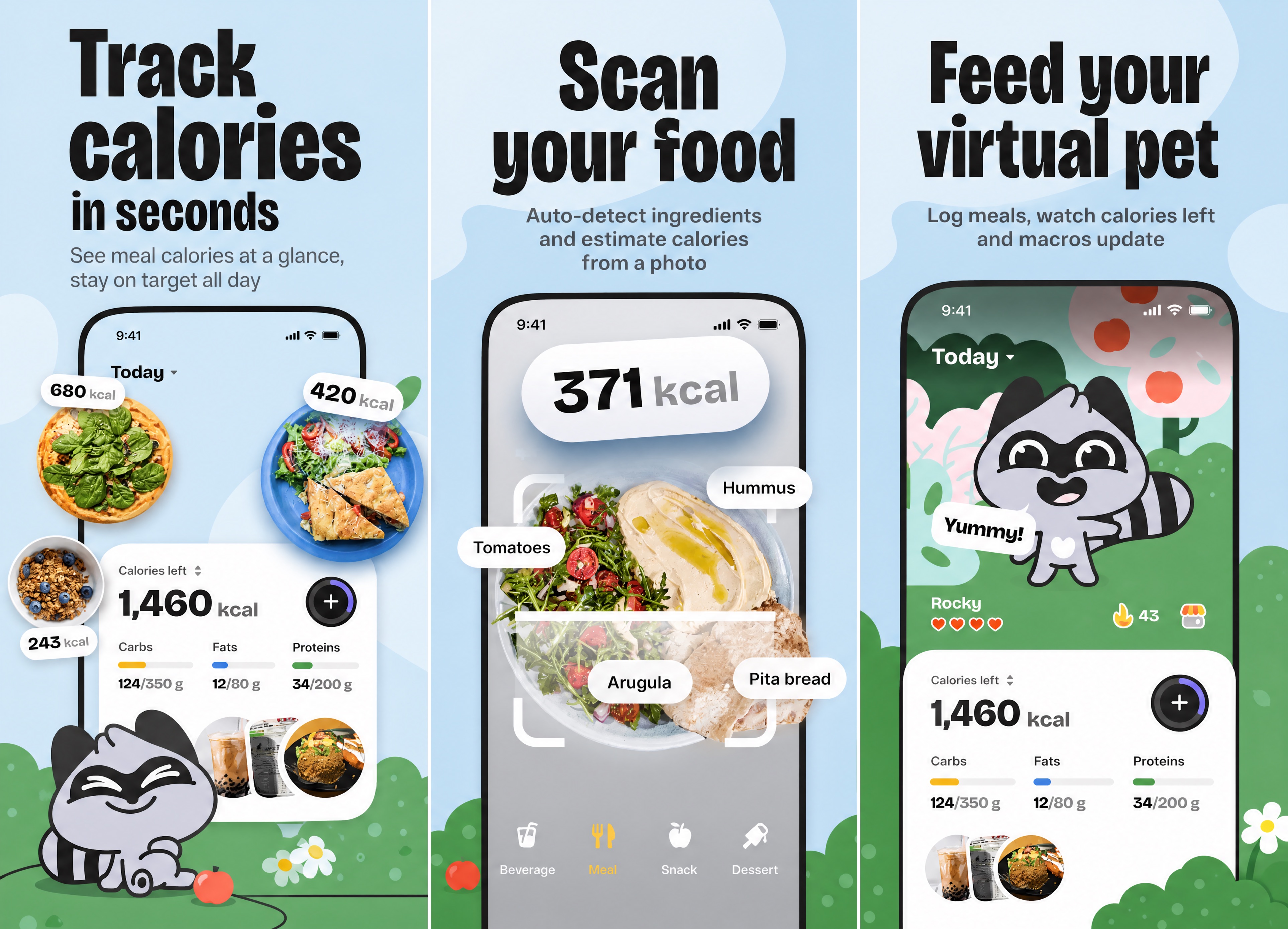
How it works
No design tool, no template fights. Upload, pick a style, download — about five minutes end to end.
Drop in the raw screens you already have — clear UI, three screens usually work best.
Choose a reference style or bring your own — AI designs the full set with benefit-led headlines.
Export iPhone, iPad, and Android sizes at the exact pixels each store requires.
What’s inside
From your raw screens to a localized set, previewed exactly as shoppers will see it — without opening a design tool.
Upload the app screens you already have and get a polished, on-brand set with AI-written, benefit-led headlines.
iPhone, iPad, and Android sizes — plus a Play Store feature graphic — all at the exact pixel dimensions each store requires.
Translate the marketing copy on every panel while your in-app UI stays untouched, exported in upload-ready locale folders.
See exactly how your listing looks in the App Store before you publish — switch sizes and languages live, then export.
Who it’s for
Whether you ship one app or twenty, Makeshots turns raw screens into store-ready sets — no designer in the loop.
Ship store-ready screenshots without hiring a designer. From raw screens to a full set — every store size in one pass — in minutes.
Deliver polished sets for every client. Spin up A/B versions and per-client exports without the design overhead.
Localize every panel into 33 languages and test up to 4 screenshot versions for your store experiments.
Keep every app's store presence consistent. Paste an App Store URL to import screens, then regenerate the full set whenever the UI changes.
Examples
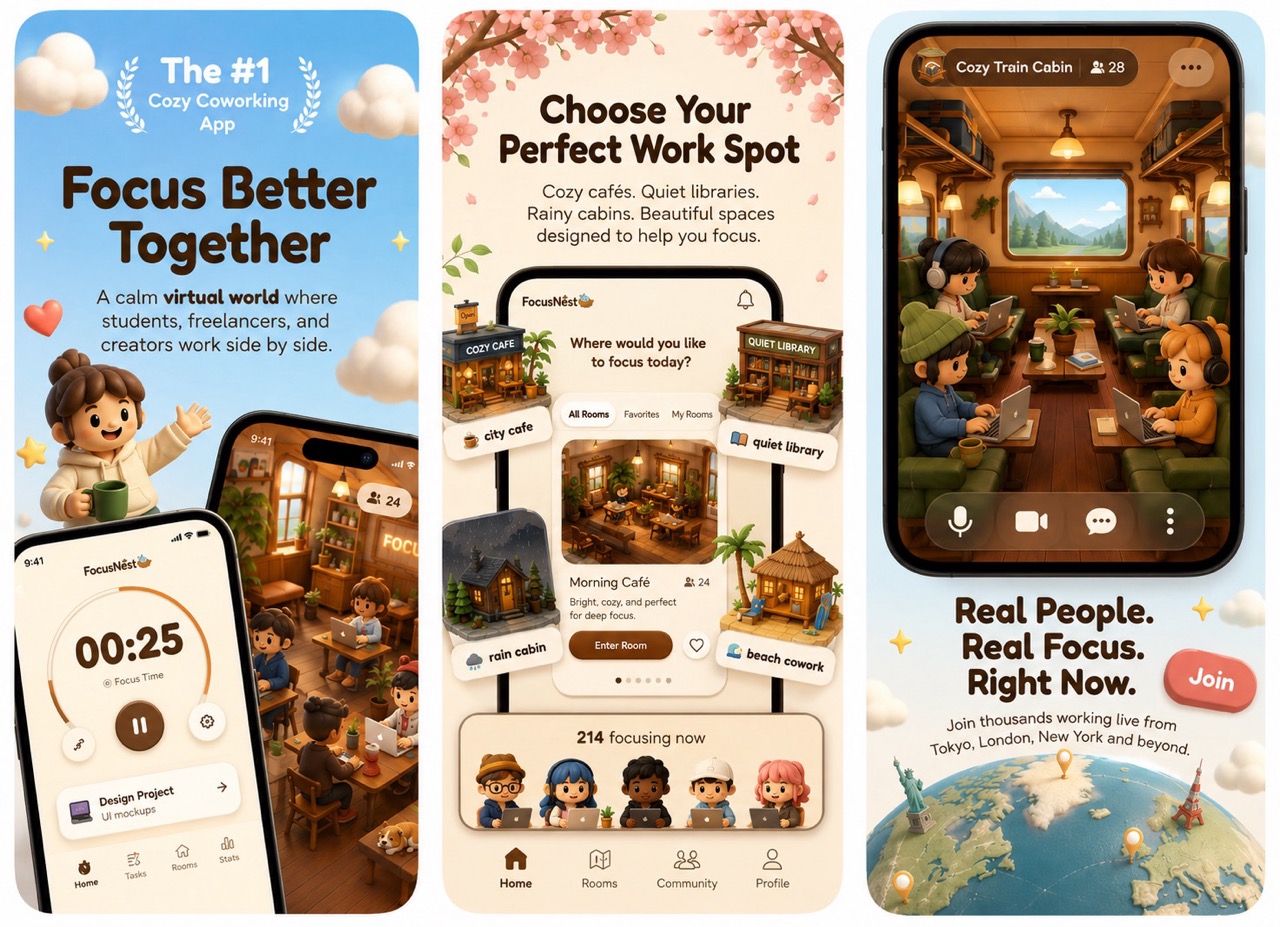
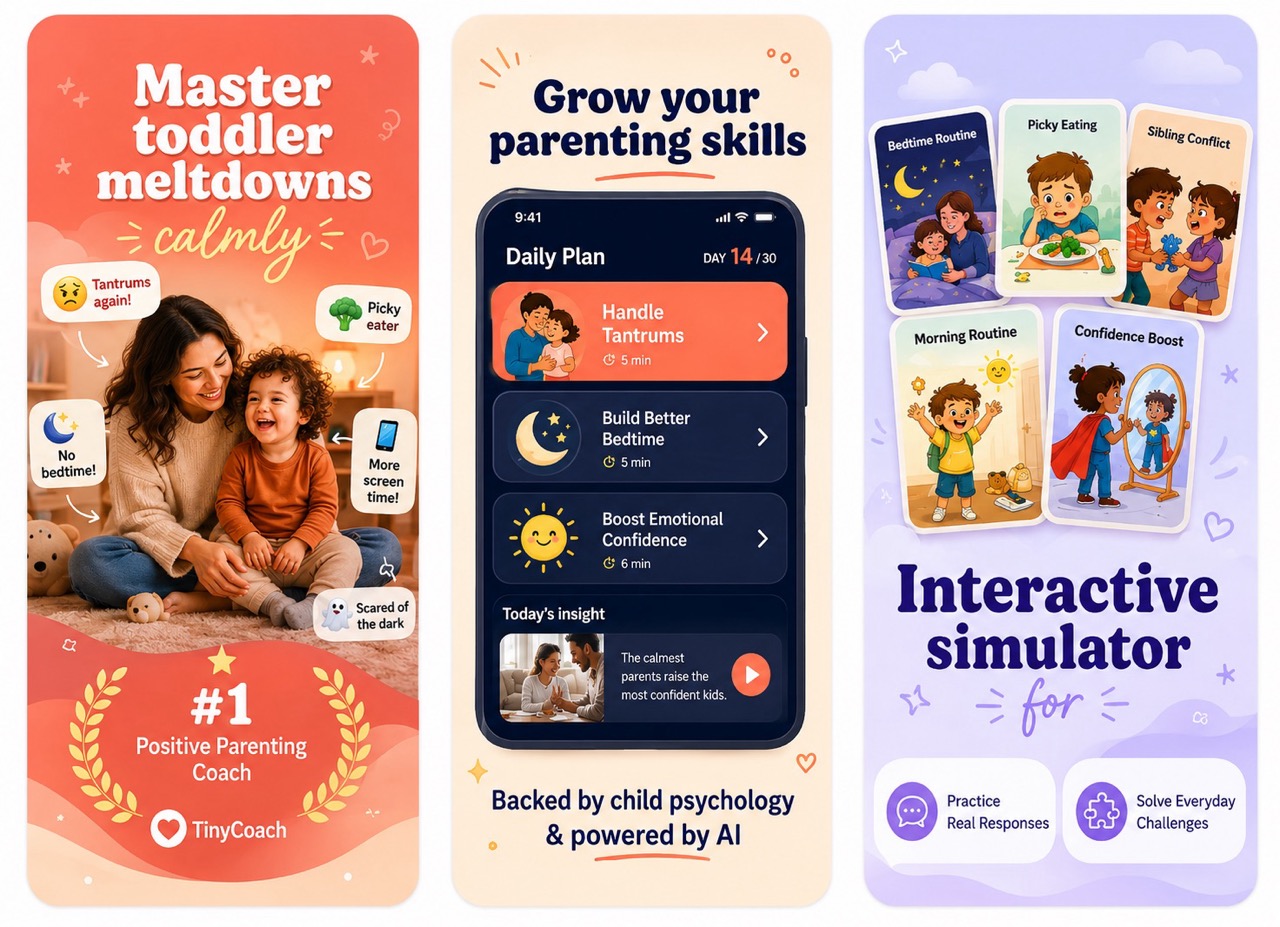
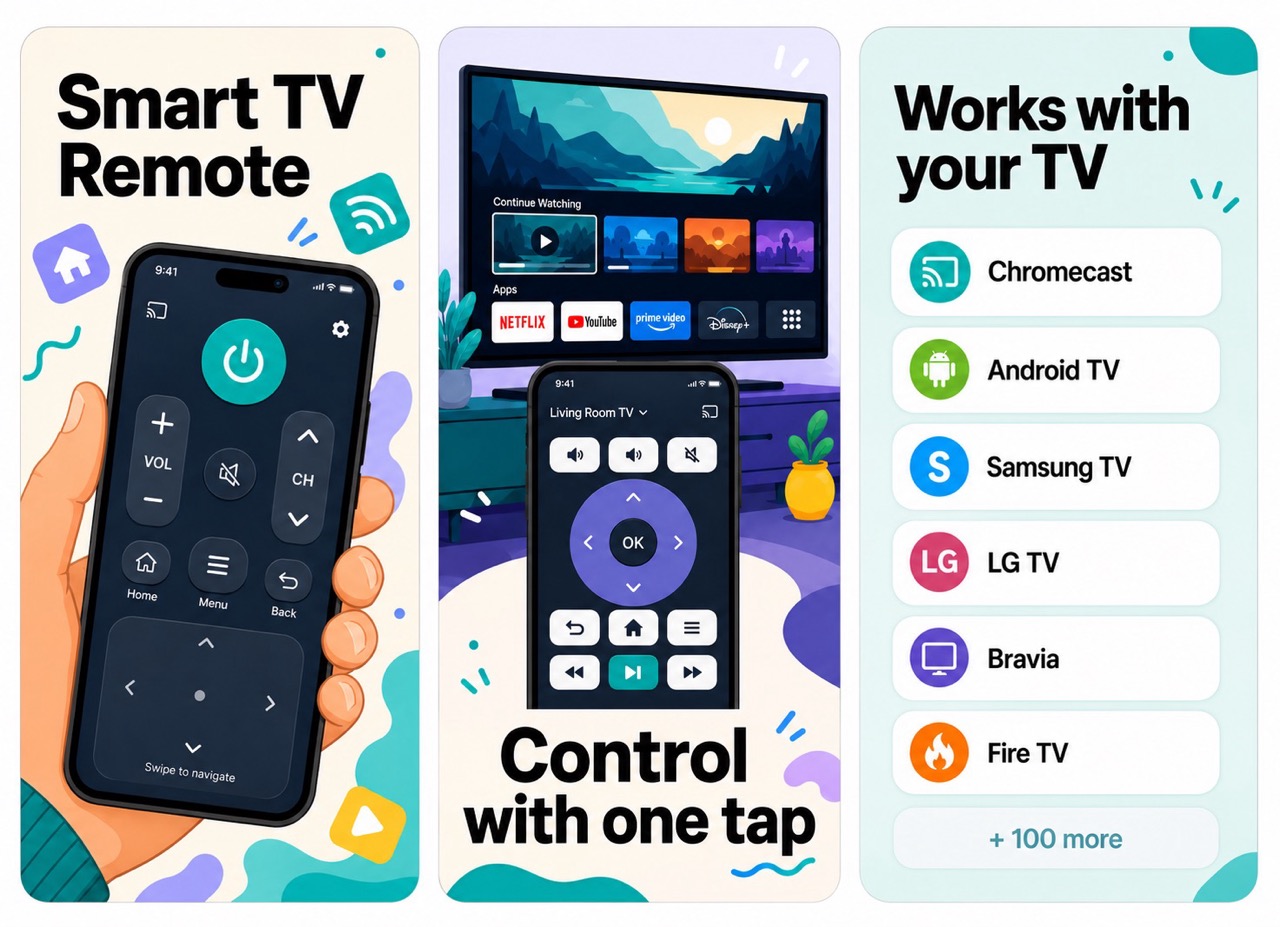
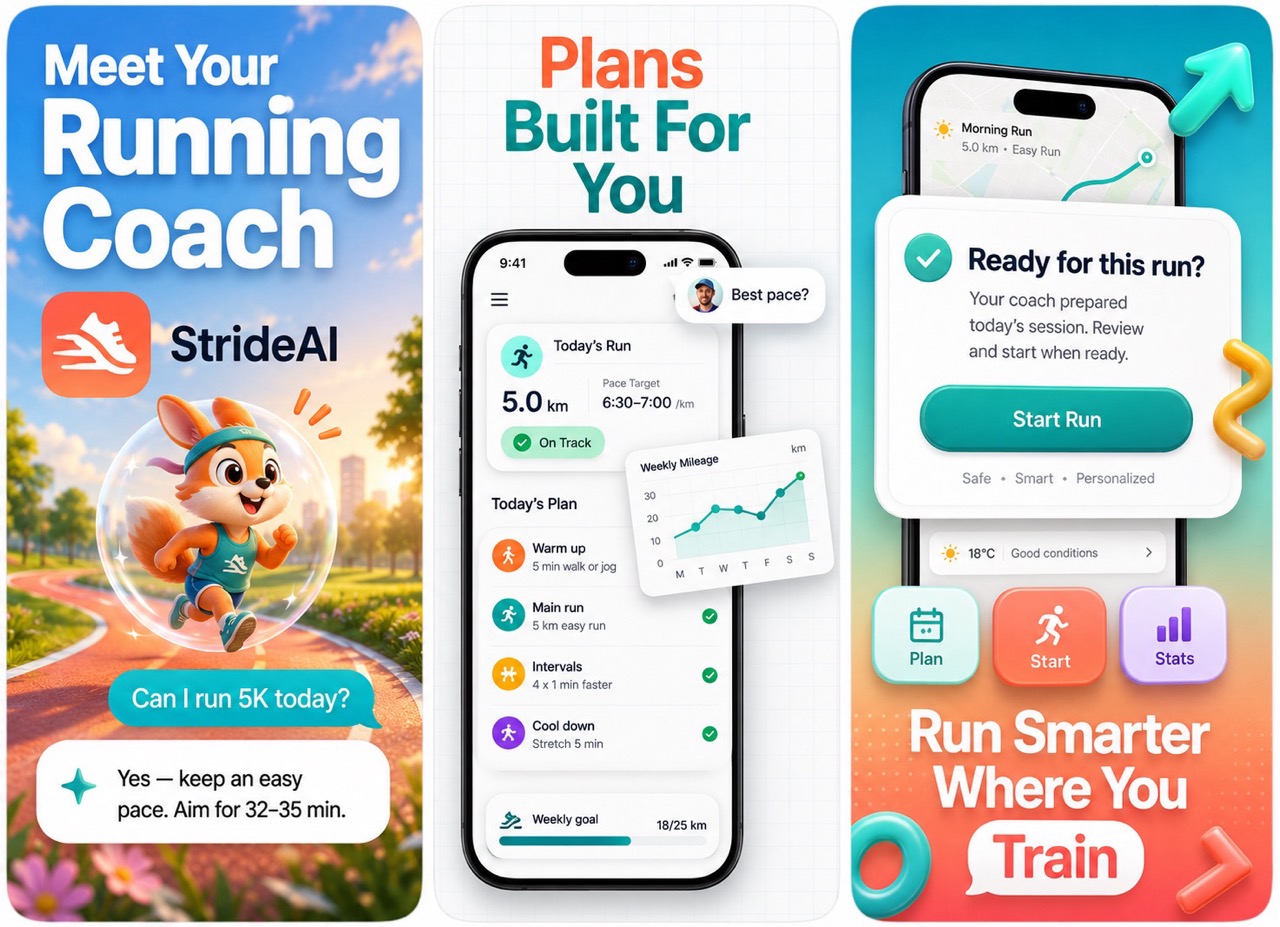
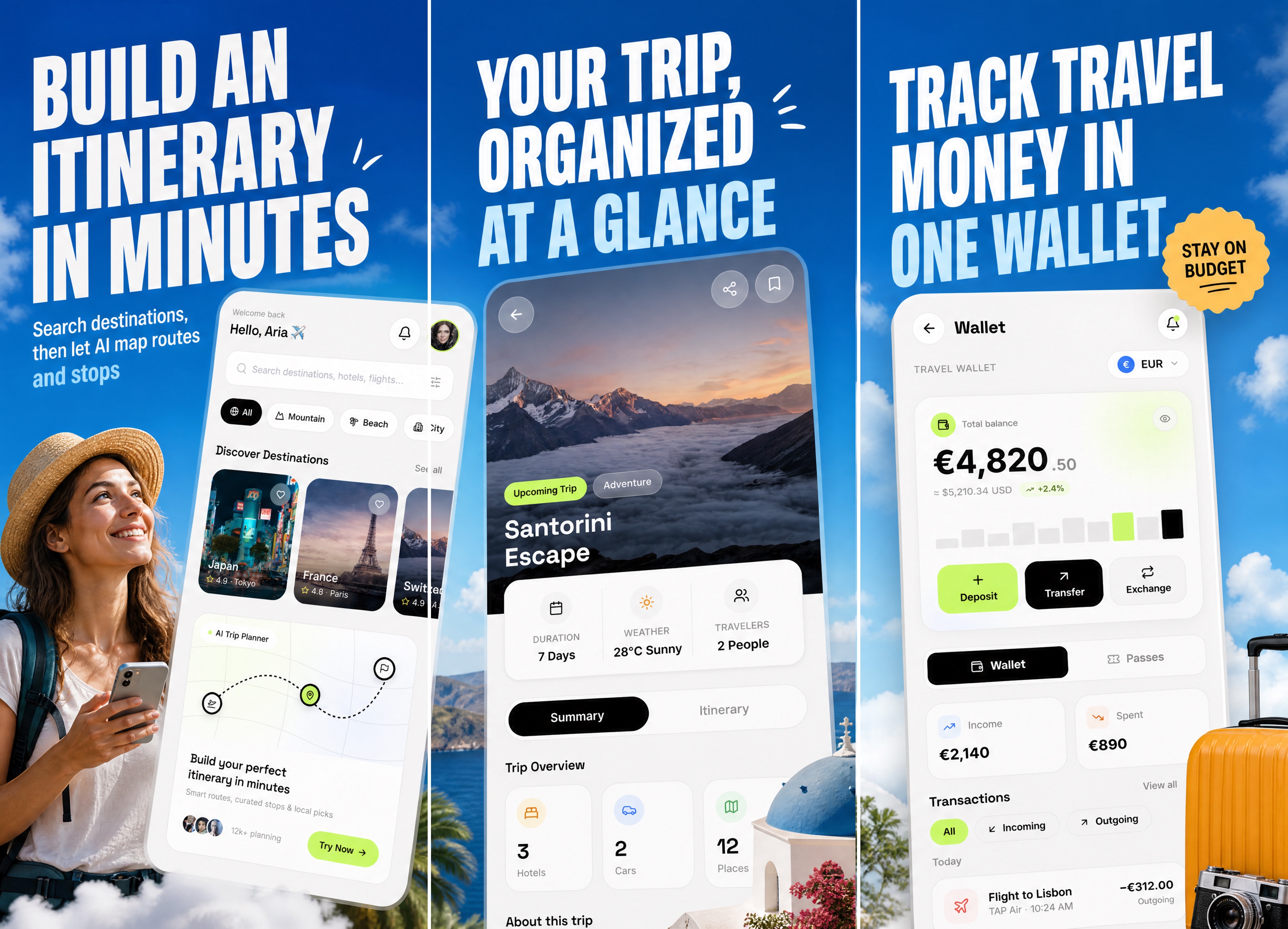
A few of the store-ready styles you can generate from your own app screens — pick one as a reference or bring your own.
Wall of love
3.4from 24 reviews
Real words from indie devs and founders who turned raw app screens into store-ready sets with Makeshots.
Beware of Makeshot: it's a SCAM. Their portfolio consists of stolen screenshots they didn't create. Don't fall for it.
Beware of Makeshot: it's a SCAM. Their portfolio consists of stolen screenshots they didn't create. Don't fall for it.
Beware of Makeshot: it's a SCAM. Their portfolio consists of stolen screenshots they didn't create. Don't fall for it.
cmasmcas acs sac c asc as c acs cas asc c cas csa asc
cssaccsaasc 1csaacs cas s ac csac asac s asc sac
cnacsaascccasc csa acs as as
نشئ فيديو رياضي حماسي مدته حوالي دقيقتين عن منتخب البحرين لكرة القدم. اجعل أسلوب الفيديو مزيجًا بين الواقعية والكرتون ثلاثي الأبعاد: ملعب كرة قدم واقعي بتفاصيل واضحة، وجماهير وأجواء مباراة حقيقية، مع ظهور اللاعبين بأسلوب 3D كرتوني واقعي يشبه أفلام الرسوم المتحركة الحديثة. اجعل اللاعبين يرتدون قمصان منتخب البحرين باللون الأحمر والأبيض، مع ظهور علم البحرين في المدرجات. أظهر لقطات للاعبين وهم يدخلون الملعب، يركضون، يمررون الكرة، يسددون، يحتفلون بالأهداف، والجماهير تشجع بحماس. استخدم تعليقًا صوتيًا عربيًا حماسيًا يقول: «هنا البحرين... وهنا تبدأ الحكاية! منتخب البحرين، فريق يحمل اسم وطن
abca c acma,c ac scsa
abccb a akcankca cakcanscaccsaa a c sa
csaascsa.cs.cscsacsacsacascasasc
...njjbjibhhj
clean - high quality screenshots, content relevant to the app screenshots. one thing i just want give feedback on is that the title font is slightly inconsistent in size. but other than that its pretty good.
Beware of Makeshot: it's a SCAM. Their portfolio consists of stolen screenshots they didn't create. Don't fall for it.
Beware of Makeshot: it's a SCAM. Their portfolio consists of stolen screenshots they didn't create. Don't fall for it.
Beware of Makeshot: it's a SCAM. Their portfolio consists of stolen screenshots they didn't create. Don't fall for it.
cmasmcas acs sac c asc as c acs cas asc c cas csa asc
cssaccsaasc 1csaacs cas s ac csac asac s asc sac
cnacsaascccasc csa acs as as
نشئ فيديو رياضي حماسي مدته حوالي دقيقتين عن منتخب البحرين لكرة القدم. اجعل أسلوب الفيديو مزيجًا بين الواقعية والكرتون ثلاثي الأبعاد: ملعب كرة قدم واقعي بتفاصيل واضحة، وجماهير وأجواء مباراة حقيقية، مع ظهور اللاعبين بأسلوب 3D كرتوني واقعي يشبه أفلام الرسوم المتحركة الحديثة. اجعل اللاعبين يرتدون قمصان منتخب البحرين باللون الأحمر والأبيض، مع ظهور علم البحرين في المدرجات. أظهر لقطات للاعبين وهم يدخلون الملعب، يركضون، يمررون الكرة، يسددون، يحتفلون بالأهداف، والجماهير تشجع بحماس. استخدم تعليقًا صوتيًا عربيًا حماسيًا يقول: «هنا البحرين... وهنا تبدأ الحكاية! منتخب البحرين، فريق يحمل اسم وطن
abca c acma,c ac scsa
abccb a akcankca cakcanscaccsaa a c sa
csaascsa.cs.cscsacsacsacascasasc
...njjbjibhhj
clean - high quality screenshots, content relevant to the app screenshots. one thing i just want give feedback on is that the title font is slightly inconsistent in size. but other than that its pretty good.
Within seconds, I had incredible app store visuals. The images are high quality, amazing!!!
I had a great experience with MakeShots. The owner was kind enough to give me 3 screenshots for free, and I was genuinely impressed by the quality. The screenshots looked clean, professional, and were ready to use for my App Store listing with almost no extra editing. The tool is easy to use, saves a lot of time, and produces designer-quality results. If you're an indie app developer looking for polished App Store or Play Store screenshots, I definitely recommend giving MakeShots a try. Thank you for the generous support and for building such a useful product!
I think it produces really good results i can reuse for my app store entry. I think there is still one major error, because even though you can generate multiple languages, you cannot swap the screenshots. In my app i have texts based on the chosen language so now i need to rebuild the screenshots, once with german screenshots and once for english ones
This tool is awesome. I'm a solo developer and I tried to do the screenshots and ASO myself. It was bad, but with MakeShots, the results looks like professional. Thank you very much for your tool.
I like the screenshots these are very good. just beautiful
Unbelievable! WOW! This is voodoo magic built by a dev using models and prompting, best ever app I subscribed, best ever 3 dollars spent lol, this is so cool I wish you all the best and I hope this app gets the success it deserves!
I was struggling with how to present my app on the Play Store. Earlier, I was using plain screenshots, which didn't show it effectively. With Makeshots, I'm now able to create high quality screenshots that represent my app much better, and I'm really happy with the overall results.
The best screenshot generator I've ever seen. The AI understand the context in each screenshots and generates proper text and background.
Makeshots saves time & screenshots are high quality
This is a great tool. Everything is generated in excellent quality, and the screenshots are ready to use without any need for additional edits or corrections. I’m really impressed with how smooth and polished the results are.
I'm not a designer and it shows in everything I make... except my screenshots now. my app finally doesn't look like a side project on the store page.
tried like 3 of these AI screenshot tools and this is the only one that didn't mangle my actual UI. text stayed readable,, nothing hallucinated.
Within seconds, I had incredible app store visuals. The images are high quality, amazing!!!
I had a great experience with MakeShots. The owner was kind enough to give me 3 screenshots for free, and I was genuinely impressed by the quality. The screenshots looked clean, professional, and were ready to use for my App Store listing with almost no extra editing. The tool is easy to use, saves a lot of time, and produces designer-quality results. If you're an indie app developer looking for polished App Store or Play Store screenshots, I definitely recommend giving MakeShots a try. Thank you for the generous support and for building such a useful product!
I think it produces really good results i can reuse for my app store entry. I think there is still one major error, because even though you can generate multiple languages, you cannot swap the screenshots. In my app i have texts based on the chosen language so now i need to rebuild the screenshots, once with german screenshots and once for english ones
This tool is awesome. I'm a solo developer and I tried to do the screenshots and ASO myself. It was bad, but with MakeShots, the results looks like professional. Thank you very much for your tool.
I like the screenshots these are very good. just beautiful
Unbelievable! WOW! This is voodoo magic built by a dev using models and prompting, best ever app I subscribed, best ever 3 dollars spent lol, this is so cool I wish you all the best and I hope this app gets the success it deserves!
I was struggling with how to present my app on the Play Store. Earlier, I was using plain screenshots, which didn't show it effectively. With Makeshots, I'm now able to create high quality screenshots that represent my app much better, and I'm really happy with the overall results.
The best screenshot generator I've ever seen. The AI understand the context in each screenshots and generates proper text and background.
Makeshots saves time & screenshots are high quality
This is a great tool. Everything is generated in excellent quality, and the screenshots are ready to use without any need for additional edits or corrections. I’m really impressed with how smooth and polished the results are.
I'm not a designer and it shows in everything I make... except my screenshots now. my app finally doesn't look like a side project on the store page.
tried like 3 of these AI screenshot tools and this is the only one that didn't mangle my actual UI. text stayed readable,, nothing hallucinated.
Pricing
Pick the plan that fits your launch cadence. Credits refresh on every renewal — cancel anytime.
A steady drip of sets for a single live app
then $9/month · 20 credits · $0.45 per set
Get startedRoom to iterate across launches every month
then $19/month · 50 credits · $0.38 per set
Get startedFor agencies and teams shipping many apps
then $49/month · 120 credits · $0.41 per set
Get startedUse your own OpenAI key to generate unlimited screenshots and copy. No credits, no limits. Start with a 3-day free trial — you pay OpenAI directly for usage and nothing to us until the trial ends.
Affiliate program
Love Makeshots? Share it with other app developers and earn a 25% commission on every sale your referrals make. Free to join, instant link, no minimums.
FAQ
A few practical details about keys, uploads, references, and output.
Yes. Makeshots creates clean portrait phone screenshots you can use for both the Apple App Store and the Google Play Store listing. Upload your Android or iOS app screens and export a store-ready set.
Makeshots runs on simple monthly plans. Each plan gives you a set number of credits that refresh on every renewal — unused monthly credits don't roll over. You can cancel anytime, and active subscribers can also buy one-time add-on credit packs that never expire.
Use clear product screenshots with the main UI visible. Three screens usually work best.
Yes. You can upload a reference image if you already know the style you want.
It should keep your product recognizable. The main work is the store screenshot layout around it.
Start now
Skip the designer and the revision loop. Turn your app screens into store-ready App Store & Play Store screenshots today — one low-cost pack, no API key needed.
Create your first setFree tools
No signup, no AI, runs in your browser. Built for the same indie devs Makeshots is for.